




A website migration is any move that changes where or how a site runs: a new platform (for example from Wix to WordPress, or WordPress to Astro), a new host, or a new domain. Each carries a different risk. A host move done well is invisible to visitors and search engines. A platform or domain move changes URLs and code, and needs redirects and careful checks. This website migration checklist covers all three.
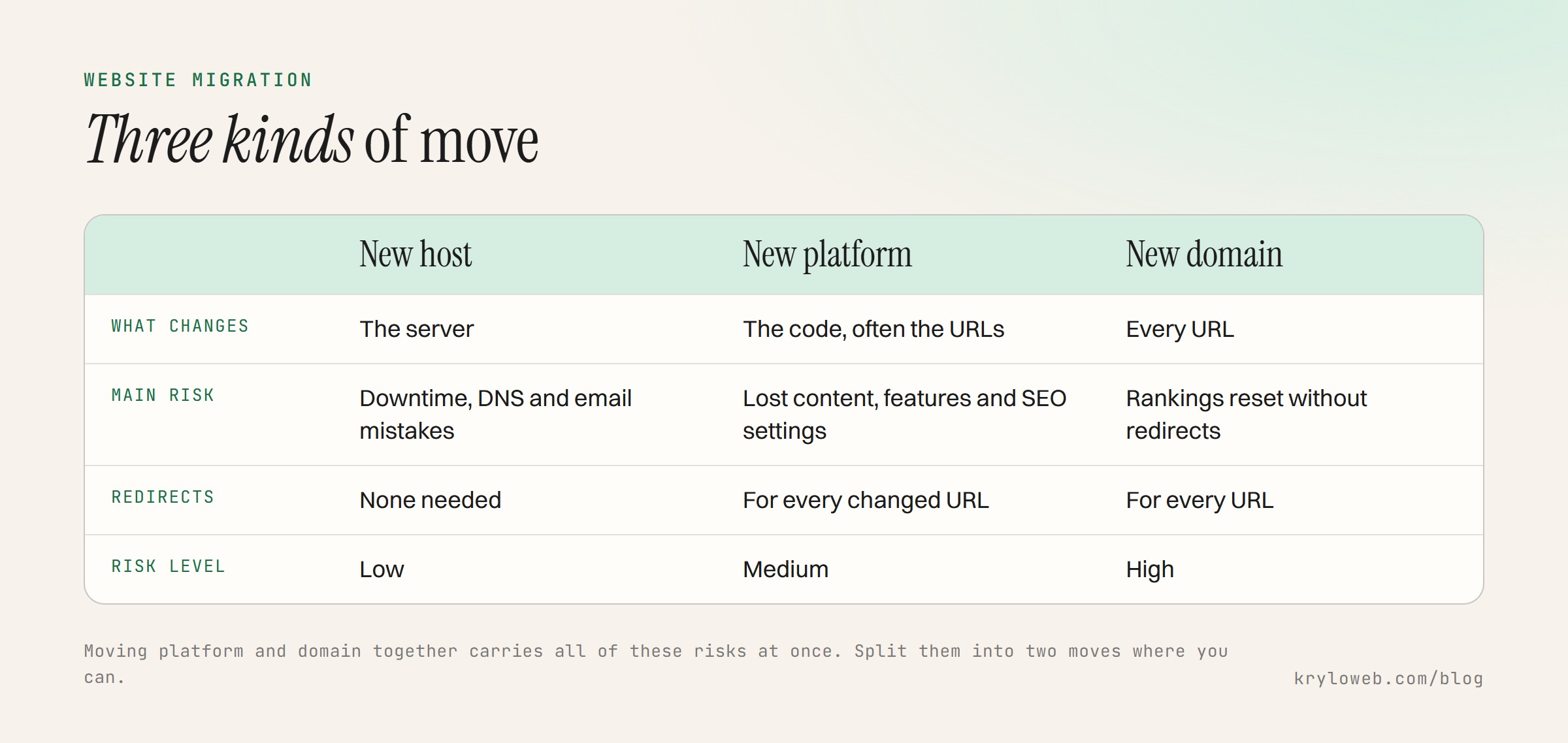
Which kind of migration is it?
| Move | What changes | Main risks |
|---|---|---|
| New host | The server | Downtime, email or DNS mistakes, missing files |
| New platform | The code and often URLs | Lost content, broken features, missing redirects, lost SEO settings |
| New domain | Every URL | Rankings reset unless every URL redirects; links and profiles point to the old domain |
| Platform and domain together | Everything | All of the above; split them into two moves if you can |
Website migration checklist: before the move
- Back up everything: files, database, and an export from the old platform
- List every URL from the sitemap, a crawler, or the old CMS
- Export search data from Search Console: pages with clicks over the last 12 months, and top queries
- List pages with outside links from Search Console’s Links report
- Record SEO settings for each page: title, meta description, H1, canonical, structured data
- List every feature: forms and where they send, bookings, payments, search, newsletter sign-ups, integrations
- List tracking: analytics, conversion tags, pixels, consent tool
- Check DNS records if the host or domain changes, including email (MX) records
- Measure speed of key pages so you can compare after the move
- Lower the DNS TTL a day or two ahead for host moves, so the switch spreads faster
Moving content
- Import content with the platform’s tools where possible, then check it by hand
- Check formatting: headings, lists, tables, embedded videos
- Move images and files, and update links to them
- Keep URLs the same where the new platform allows it
- Build a redirect map for every URL that changes, old to new, one row each
- Carry across titles, descriptions and alt text
Our website redesign SEO checklist has a redirect map template you can copy.
Testing on staging
- Staging is blocked from search engines
- Every page from the URL list loads, or redirects correctly
- Forms send to the right inbox, and confirmations arrive
- Bookings, payments and checkout work end to end with test transactions
- Analytics and conversion tracking record test visits and events
- Cookie consent works and blocks tracking until accepted, where required
- Structured data passes Google’s Rich Results Test
- Pages pass a speed test at least as well as before
- The site works on phones and in Safari, Chrome and Firefox
Switch day
- Freeze content changes on the old site
- Take a final backup
- Switch DNS or publish the new site
- Remove the staging block and check robots.txt
- Turn on redirects and test a sample, including old links from other sites
- Submit the new sitemap in Search Console
- For a domain move, use Search Console’s Change of Address tool
- Test email if DNS changed
- Place a test order or submit a test enquiry on the live site
The first four weeks
- Check Search Console daily for two weeks for “Not found (404)” errors and fix them with redirects
- Compare clicks and impressions weekly with the period before the move
- Keep the old host running for a few weeks in case anything was missed
- For a domain move, update social profiles, directories, email signatures and ask key sites linking to you to update their links
- Keep redirects in place for at least a year, ideally permanently
When to get help
A host move for a small site is manageable with this list. Platform and domain moves are where traffic is usually lost, especially for sites with years of blog posts or a store with product URLs. Our website redesign service covers migrations, including the redirect map and four weeks of checks, and our post on Astro vs WordPress can help if you are choosing where to move.