



Website speed optimization is the work of making pages load and respond faster: measuring where time is lost, finding the files or scripts that cause it, and fixing them in order of impact. It matters because slow pages lose visitors, and because Google uses page experience, including Core Web Vitals, as one of many signals in search. Most slow sites are slow for a handful of common reasons, and fixing the top two or three usually makes the biggest difference.
Website speed optimization starts with measuring
Start with Google’s free PageSpeed Insights. Test your homepage and your most visited pages, on mobile and desktop.
- Field data, at the top, comes from real Chrome users over the last 28 days. It is what Google uses for search, and appears once a page has enough traffic.
- Lab data, below it, is a single test that gives a score out of 100 and a list of problems.
Focus on the three Core Web Vitals: Largest Contentful Paint (good under 2.5 seconds), Interaction to Next Paint (good under 200 milliseconds) and Cumulative Layout Shift (good under 0.1). Search Console’s Core Web Vitals report shows which groups of pages pass.
One warning from our own testing: browser extensions and antivirus software can add their own scripts to pages and drag local scores down. If your local test looks much worse than PageSpeed Insights, test in a private window or check the network list for files that aren’t yours.
What usually makes sites slow
| Cause | What it hurts | Typical fix |
|---|---|---|
| Large images | Load time (LCP) | Resize to display size, convert to WebP or AVIF, don’t lazy-load the main image |
| Too much JavaScript | Responsiveness (INP), blocking time | Remove unused scripts, delay non-essential ones |
| Third-party scripts: chat, ads, trackers, widgets | Responsiveness, load time | Remove what you don’t use, load the rest after the page |
| Page builders and heavy themes | Everything | Lighter theme, or rebuild key templates |
| Too many plugins or apps | Everything | Audit and remove; replace several with one |
| Slow hosting | First response time | Better hosting or a CDN |
| Web fonts | Load time, layout shift | Fewer weights, host them yourself, preload the main one |
| Images and embeds without dimensions | Layout shift (CLS) | Set width and height, reserve space for banners |
What a speed optimization project involves
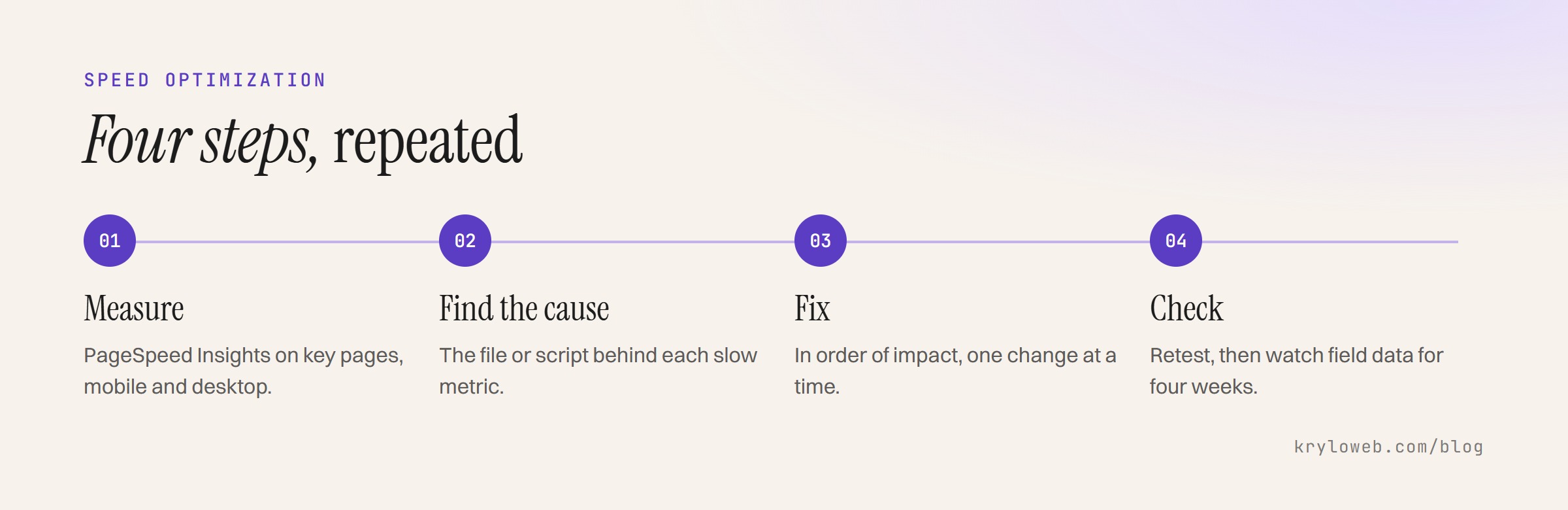
- Measure the key pages on mobile and desktop and record the starting numbers
- Diagnose each slow metric down to the files or scripts responsible
- Fix in order of impact, one change at a time
- Check after each change, so nothing breaks and every gain is real
- Report the before and after numbers
- Watch field data over the following four weeks
On our own site, this process took the homepage from a desktop score of 64 in PageSpeed Insights, with more than 20 seconds of blocking time, to 99 in a Lighthouse test with the same settings, without changing the design. The full story is in how to improve Core Web Vitals.
What you can do yourself
- Compress and resize images before uploading
- Remove plugins, apps and widgets you no longer use
- Turn on caching through your host or a caching plugin
- Delete unused tracking tags
- Keep your platform, theme and plugins updated
These alone often fix image-heavy sites.
When to hire someone
Hire help when the cause is in code you can’t change: the theme, a page builder, custom scripts, or how the site loads fonts and styles. Also when you have done the basics and the scores haven’t moved, or when your site is a store and every second matters for sales.
Ask anyone you hire for before and after numbers on the same tests, and for a list of what they changed. Be wary of anyone who promises a perfect score; the right goal is passing Core Web Vitals for real visitors.
Questions people ask
Does speed affect SEO? Page experience is one signal among many. A fast page won’t outrank a more relevant one, but a very slow page loses visitors whatever its ranking.
Is a score of 100 necessary? No. Passing Core Web Vitals in field data matters more than a perfect lab score.
Will a caching plugin fix everything? It helps load times, but not heavy JavaScript or third-party scripts.
Should I redesign instead? Only if speed is one of several problems. If speed is the only one, optimization is cheaper; see redesign vs refresh vs rebuild.
We offer this as a website speed optimization service, with before and after numbers for every page we work on.